10 Free Website Checks Every Website Owner Should Perform Regularly
By Super Admin · Aug 18, 2026 · 7 min read
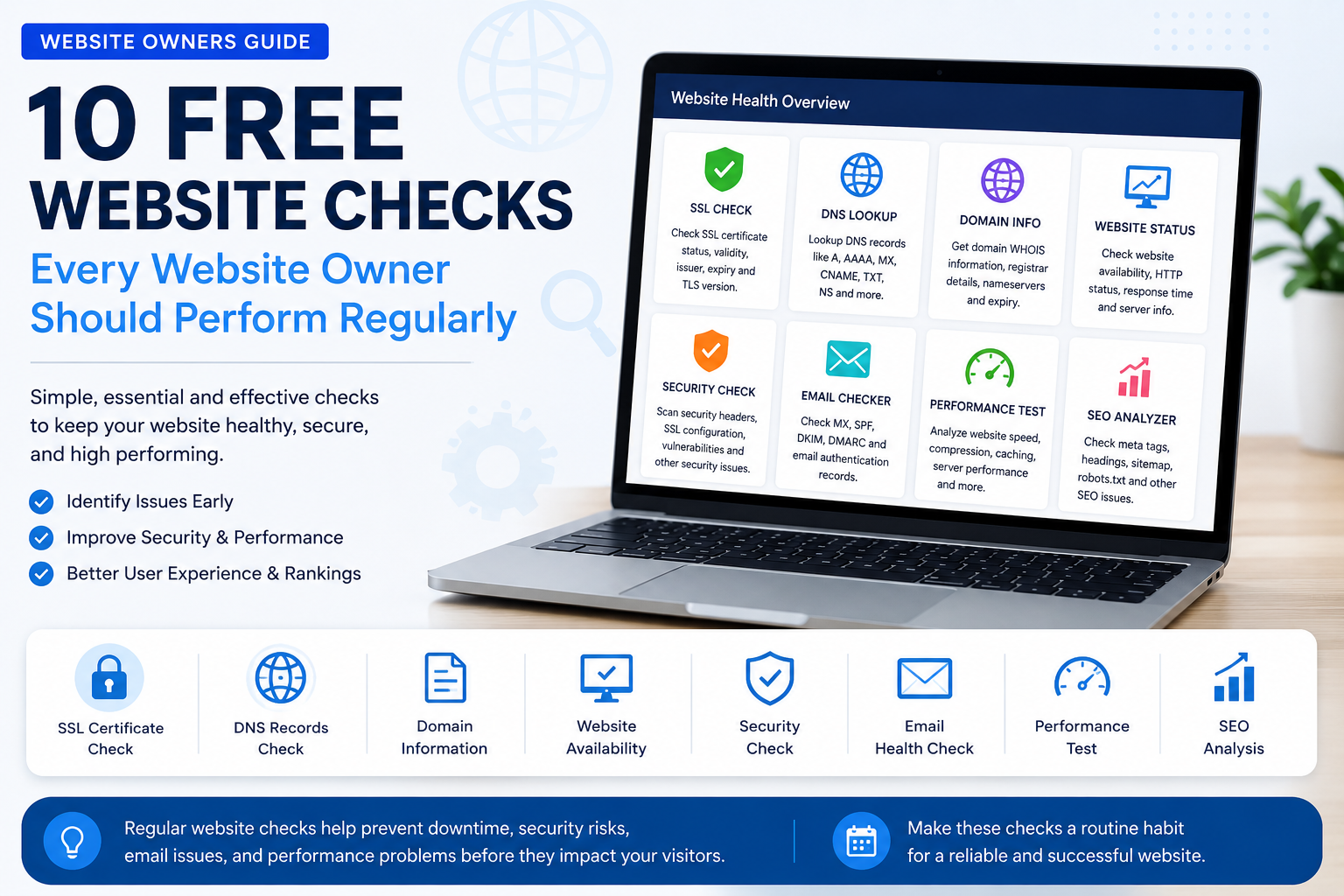
10 Free Website Checks Every Website Owner Should Run Regularly
Running a website is not just about publishing pages and waiting for visitors. A website can look perfectly fine on the surface while hidden technical problems slowly affect its performance, security, search visibility, and user experience.

For example, an SSL certificate may be close to expiry, DNS records may be misconfigured, a domain may have important information that needs attention, or a website may be responding slowly without the owner noticing.
The good news is that many important website checks can be performed for free.
Here are 10 website checks that every website owner, developer, business, and webmaster should perform regularly.
1. Check Whether Your Website Is Online
The first and most basic check is website availability.
A website can become unavailable because of:
- Server downtime
- Hosting problems
- DNS issues
- Application errors
- Server overload
- Expired services
- Network connectivity problems
If visitors cannot access your website, it can directly affect enquiries, sales, leads, and customer trust.
Checking website availability regularly helps you identify downtime before it becomes a bigger issue.
For business websites, this is especially important because even a few hours of unnoticed downtime can result in lost opportunities.
2. Check Your SSL Certificate Status
SSL certificates are essential for modern websites.
They help secure the connection between your website and its visitors. Websites using HTTPS also provide greater confidence to users, especially when they collect login details, contact information, payments, or other sensitive data.
Regular SSL checks can help you review:
- Whether the certificate is valid
- Certificate issuer
- Certificate expiry date
- SSL start date
- Domain covered by the certificate
- General certificate status
An expired SSL certificate can cause browser security warnings. This may immediately discourage visitors from continuing to your website.
That is why SSL status should not be checked only when a problem occurs. It should be monitored before the expiry date approaches.
3. Check How Many Days Are Left Before SSL Expiry
Checking SSL validity is useful, but checking the remaining validity period is equally important.
Many website owners discover that their SSL certificate has expired only after customers report a security warning.
A dedicated SSL expiry check helps you know how much time remains before renewal is required.
This is particularly useful when managing:
- Multiple websites
- Client websites
- Business portals
- E-commerce websites
- Company websites
- SaaS platforms
Keeping track of expiry dates helps prevent unexpected HTTPS warnings and service disruptions.
4. Check Your DNS Records
DNS is one of the most important parts of a website's infrastructure.
DNS records control how your domain connects to services such as:
- Website hosting
- Email servers
- Subdomains
- Verification services
- Third-party applications
Common DNS records include:
- A records
- AAAA records
- CNAME records
- MX records
- TXT records
- NS records
A small DNS configuration mistake can cause a website or email service to stop working correctly.
For example, after changing hosting providers or connecting a domain to a new server, checking DNS propagation and record configuration becomes essential.
Regular DNS checks can help website owners quickly identify configuration problems.
5. Check Domain Information
Your domain is a critical digital asset.
Website owners should periodically review important domain information, including:
- Domain registration status
- Expiry information
- Registrar details
- Name servers
- Domain-related configuration
An overlooked domain expiry can potentially take an entire website and related services offline.
For businesses, domain management should be treated as an important operational task rather than something checked once and forgotten.
6. Check Your Website Response Time
A website may technically be online but still provide a poor experience if it takes too long to respond.
Slow websites can result from several factors, including:
- Slow hosting
- High server load
- Large files
- Heavy applications
- Database issues
- Network latency
- Poor server configuration
Checking response time helps you understand how quickly a server responds to a request.
This can be useful when comparing hosting performance or investigating reports that a website feels slow.
Performance should be checked regularly because a website that was fast last month may become slower as traffic, content, plugins, applications, or server usage increase.
7. Check Website Headers
HTTP headers contain useful technical information about how a website communicates with browsers and other clients.
A website header check can help developers and website administrators review information related to:
- HTTP response status
- Content type
- Server responses
- Redirect behavior
- Security-related headers
- Cache-related headers
Headers are particularly useful when troubleshooting technical website issues.
For example, a page may appear to load normally while returning an unexpected redirect or response status. Header analysis can provide additional information that is not immediately visible on the webpage itself.
8. Check Redirects and HTTP Status Codes
HTTP status codes provide important information about what happens when a page is requested.
Some common examples include:
- 200 – Request successful
- 301 – Permanent redirect
- 302 – Temporary redirect
- 404 – Page not found
- 500 – Internal server error
Incorrect redirects can affect both visitors and website maintenance.
A redirect check can help identify issues such as:
- Redirect loops
- Unnecessary redirect chains
- Incorrect destination URLs
- HTTP to HTTPS configuration problems
- Unexpected server responses
Website owners should check important URLs after making major changes such as migrations, redesigns, domain changes, or server configuration updates.
9. Check TLS and Security Configuration
HTTPS is not only about having an SSL certificate installed.
The server's TLS configuration also plays an important role in website security.
A TLS check can help review which TLS versions and related security configuration are supported by a website.
Older or weak configurations may create compatibility or security concerns.
Regular technical checks are useful after:
- Server upgrades
- SSL certificate changes
- Web server configuration changes
- CDN configuration changes
- Security updates
Website security requires ongoing maintenance rather than a one-time setup.
10. Run Regular Website Health Checks
The most useful approach is not to check each technical issue only after something goes wrong.
A better practice is to regularly review the overall health of your website.
A basic website health routine can include checking:
- Website availability
- SSL certificate status
- SSL expiry
- DNS records
- Domain information
- Website response time
- HTTP headers
- Redirects
- TLS configuration
- General security and technical status
These checks can help identify potential issues before they become visible to customers or affect business operations.
Why Regular Website Checks Matter
Website problems are not always immediately obvious.
A website owner may not know about a problem until:
- A customer complains
- A browser displays a warning
- Emails stop working
- The website goes offline
- A page starts returning an error
- A certificate expires
- A server becomes slow
By performing regular checks, website owners can take a more proactive approach.
This is particularly important for businesses that depend on their website for:
- Lead generation
- Online enquiries
- Customer communication
- E-commerce
- Bookings
- SaaS services
- Brand visibility
Who Should Perform These Checks?
These free website checks can be useful for almost anyone managing an online presence.
Website Owners
Regular checks help ensure the website remains accessible and technically healthy.
Developers
Developers can use technical checks while troubleshooting websites, servers, SSL, DNS, and deployment issues.
Agencies
Agencies managing multiple client websites can use regular checks as part of website maintenance workflows.
Small Businesses
Businesses without a dedicated technical team can use basic checks to identify common issues early.
System Administrators
Infrastructure and server administrators can use these checks as part of routine monitoring and troubleshooting.
How Often Should You Check Your Website?
The frequency depends on how important the website is to your business.
For a small informational website, periodic checks may be sufficient.
For an active business website, it is better to review important areas regularly.
A practical schedule could include:
Daily:
- Website availability
- Major website errors
Weekly:
- Response time
- Important redirects
- General website performance
Monthly:
- DNS review
- Domain information
- SSL expiry status
- Security-related configuration
Critical websites and online platforms may require continuous monitoring rather than manual checks.
Final Thoughts
A website is made up of many connected components, including the domain, DNS, server, SSL certificate, application, and network configuration.
When any one of these components has a problem, the result can affect visitors and business operations.
Regular website checks make it easier to identify issues early and understand the technical health of a website.
You do not always need expensive software to perform basic technical checks. Free tools can help website owners, developers, agencies, and businesses review important areas such as SSL, DNS, domain information, response time, redirects, TLS, and website availability.
Making these checks part of a regular maintenance routine can help reduce unexpected technical problems and keep your website running more reliably.