DNS Monitoring: What It Is, Why It Matters and How to Monitor DNS Changes
By Super Admin · Aug 17, 2026 · 10 min read
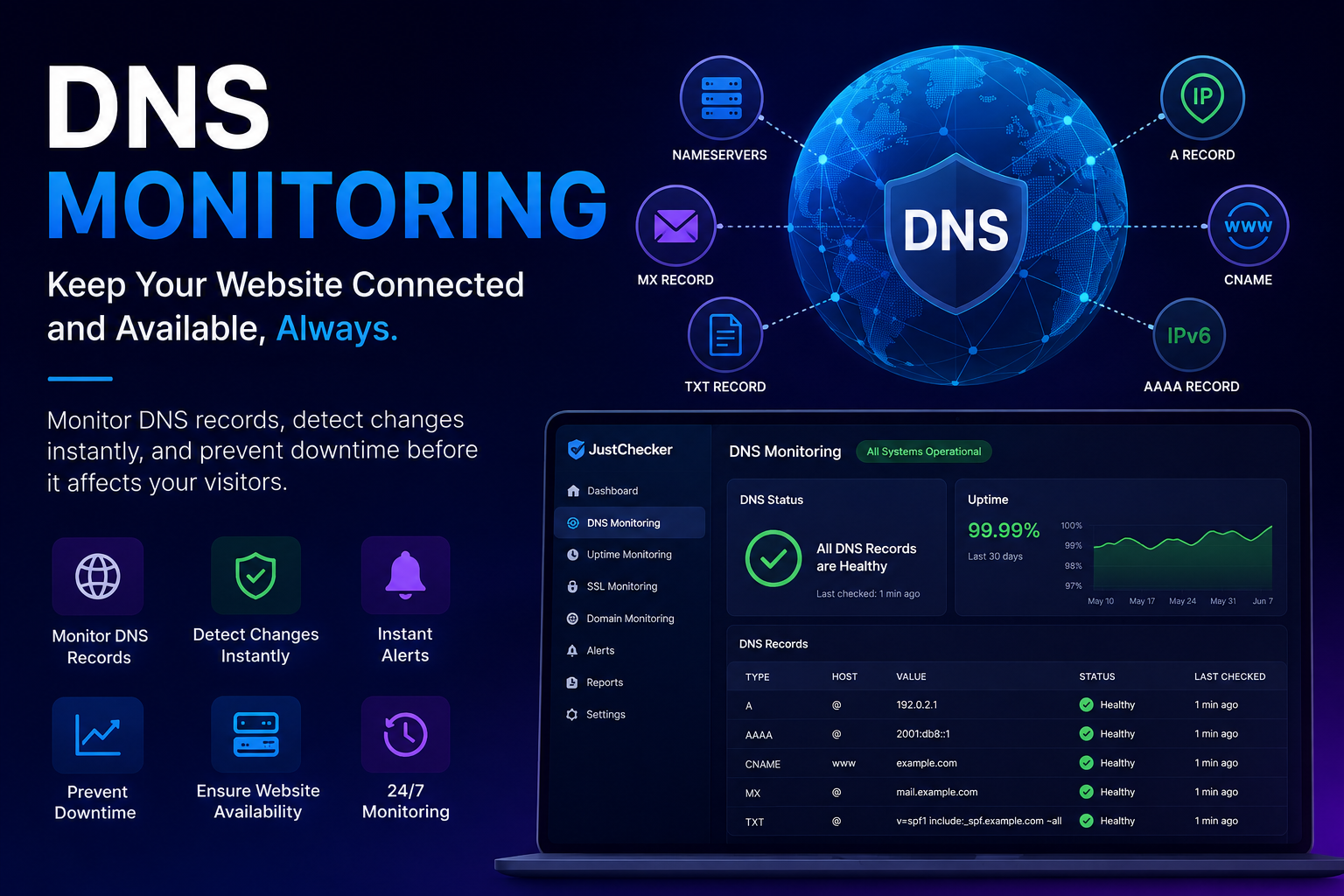
DNS Monitoring: Keep Your Website Connected and Available
Your website may be online, your server may be running, and your application may be working perfectly—but if your DNS stops resolving correctly, visitors may still be unable to reach your website.

This is where DNS monitoring becomes important.
DNS monitoring helps you continuously check whether your domain's DNS records are working as expected. It can help detect DNS resolution failures, unexpected DNS changes, record misconfigurations, and other issues that could affect website availability.
For businesses, developers, website owners, and IT teams, DNS is one of the critical components behind keeping a website accessible. Monitoring it helps you identify problems before they have a major impact on users.
What Is DNS Monitoring?
DNS stands for Domain Name System. It is responsible for connecting human-readable domain names, such as a website domain, with the servers and services that power them.
When someone enters a domain into a browser, DNS helps the browser find the correct destination.
For example, a DNS configuration may tell systems where to find:
- Your website server
- Your email server
- Your subdomains
- Other connected services
DNS monitoring is the process of regularly checking whether these DNS records are available, resolving correctly, and returning the expected information.
Instead of manually checking your DNS configuration every day, a monitoring system can perform checks automatically and alert you when something changes or fails.
Why Is DNS Monitoring Important?
DNS problems can create a situation where your website server is healthy, but users still cannot access your website.
For example, imagine your web server is running perfectly. However, the DNS record for your domain is accidentally changed or stops resolving correctly. Visitors may enter your domain into their browser and fail to reach the website.
This can affect:
- Website availability
- Customer access
- Business operations
- Email services
- Applications using your domain
- Subdomains and connected services
DNS monitoring provides an additional layer of visibility by helping you track the DNS infrastructure that connects users to your services.
What Can Happen When DNS Fails?
A DNS issue can affect more than just one webpage.
Depending on the configuration, a DNS failure or incorrect DNS change can result in several problems.
1. Your Website May Become Inaccessible
If the domain cannot resolve to the correct server, visitors may be unable to open your website.
Even when your hosting server is running normally, a DNS problem can prevent users from reaching it.
2. Visitors May Be Sent to the Wrong Destination
If a DNS record is changed incorrectly, your domain could potentially point to an unintended destination.
This is why unexpected DNS changes should be identified quickly.
3. Subdomains Can Stop Working
Many websites use subdomains for different services.
For example:
- blog.example.com
- api.example.com
- app.example.com
- mail.example.com
If the DNS records for these services are changed or misconfigured, individual services may become unavailable even if the main website continues to work.
4. Email Delivery Can Be Affected
DNS plays an important role in email-related configurations.
Incorrect DNS records can affect how email services operate. Monitoring relevant DNS records helps you detect unexpected changes that could affect your domain's email configuration.
5. Troubleshooting Can Become More Difficult
Without monitoring, you may only discover a DNS problem after users report that something is not working.
With regular monitoring, you can have better visibility into changes and failures.
Common DNS Records You Should Monitor
Different DNS records serve different purposes. The records you monitor depend on how your domain and services are configured.
A Records
An A record connects a domain or hostname to an IPv4 address.
For example, your main website may use an A record to point the domain to your web server.
Monitoring A records can help you identify unexpected IP address changes.
AAAA Records
An AAAA record is similar to an A record but is used for IPv6 addresses.
If your infrastructure uses IPv6, monitoring these records can help ensure the correct configuration remains in place.
CNAME Records
A CNAME record maps one hostname to another hostname.
These records are commonly used for subdomains and external services.
Unexpected CNAME changes can affect where a hostname resolves.
MX Records
MX records are associated with email routing.
They specify the mail servers responsible for receiving email for a domain.
Monitoring MX records can help you detect unexpected changes to your email configuration.
TXT Records
TXT records can contain different types of information and are often used for domain verification and email-related configurations.
Because these records may be important to connected services, unexpected changes should be reviewed carefully.
NS Records
NS records, or Nameserver records, identify the authoritative nameservers responsible for your domain.
A nameserver change can be particularly important because it may affect how DNS information for your domain is managed.
Monitoring nameserver changes helps you stay informed about important DNS configuration updates.
Why Unexpected DNS Changes Can Be a Problem
DNS changes are not always bad. Sometimes you intentionally change hosting providers, update infrastructure, connect a new service, or modify your domain configuration.
The problem is unexpected or unauthorized changes.
If a critical DNS record changes without your knowledge, you may not discover it immediately.
Potential causes can include:
- Human configuration errors
- Incorrect DNS updates
- Changes made during infrastructure migrations
- Incorrect third-party service configuration
- Unauthorized account or DNS changes
- Expired or mismanaged services
DNS monitoring helps create visibility around these changes.
When you know what your expected DNS configuration should look like, it becomes easier to identify when something has changed unexpectedly.
DNS Monitoring vs Website Uptime Monitoring
DNS monitoring and website uptime monitoring are related, but they are not exactly the same.
Website uptime monitoring checks whether a website or service is responding.
DNS monitoring focuses on whether the domain and DNS records are resolving correctly.
For example, a website server might be online, but an incorrect DNS record could prevent visitors from reaching it.
That is why DNS monitoring can complement website uptime monitoring.
For better visibility, website owners can monitor multiple important areas, including:
- DNS
- Website availability
- Domain expiry
- SSL certificate expiry
- Server performance
- Other critical website services
Monitoring these areas together can provide a broader view of website health.
How DNS Monitoring Helps Website Owners
DNS monitoring can help website owners stay aware of changes that might otherwise go unnoticed.
Detect Configuration Changes
Regular DNS checks can help identify when monitored records no longer match the expected configuration.
Improve Visibility
Instead of manually performing DNS lookups, monitoring provides a more consistent way to keep track of important domain records.
Respond Faster to Problems
If a problem is detected earlier, you can begin investigating before the issue causes a longer disruption.
Monitor Important Services
A single domain can support multiple services. Monitoring DNS helps you keep an eye on the infrastructure connecting those services.
Reduce Manual Checking
Website administrators and IT teams do not need to repeatedly perform the same manual DNS checks.
Automated monitoring can handle regular checks and notify the appropriate person when attention may be required.
How to Monitor DNS Changes
A DNS monitoring workflow generally starts with identifying the records that are important to your website and services.
For example, you may want to monitor:
- Main domain A record
- www record
- Important subdomains
- Nameservers
- MX records
- CNAME records
- Other business-critical DNS records
The monitoring system can check these records regularly.
If a record changes, stops resolving, or returns an unexpected result, you can investigate the configuration.
A good monitoring setup should focus on the DNS records that actually matter to your infrastructure rather than monitoring unnecessary records.
Best Practices for DNS Monitoring
Monitor Critical Records First
Start with the DNS records that are most important for your website and services.
For many websites, this may include the main domain, important subdomains, and nameservers.
Know Your Expected Configuration
Monitoring works best when you know what the correct configuration should be.
Keep a record of important DNS values so unexpected changes are easier to identify.
Review Changes Quickly
Not every DNS change is an emergency, but unexpected changes should be reviewed promptly.
Determine whether the change was intentional and whether any services are affected.
Combine DNS Monitoring With Other Checks
DNS monitoring should not necessarily be your only monitoring system.
Combining it with website uptime, SSL certificate, domain expiry, and other relevant monitoring checks can provide better visibility.
Keep Notifications Useful
Notifications should help you take action.
Make sure alerts are sent to the email address or monitoring contact responsible for reviewing website issues.
How DNS Monitoring Helps Maintain Website Availability
Website availability depends on more than just having a running server.
Users need to:
- Enter or access your domain.
- Resolve the domain through DNS.
- Reach the correct destination.
- Receive a response from your website or service.
A problem at any of these stages can affect the user experience.
DNS monitoring focuses on an important part of this chain: making sure your domain information is resolving as expected.
By monitoring DNS alongside other important website checks, you can build a stronger monitoring strategy.
Monitor DNS Alongside Other Important Website Checks
DNS monitoring is most effective when used as part of a broader website monitoring approach.
You may also want to monitor:
Website Uptime
Check whether your website is accessible and responding.
SSL Certificates
Keep track of SSL certificate status and expiry to avoid security warnings caused by expired certificates.
Domain Expiry
Monitor important domain expiry dates so domain renewal is not overlooked.
Website Performance
Track performance-related issues that may affect user experience.
Domain and Website Changes
Stay aware of important changes affecting your website infrastructure.
Together, these checks can help you understand different causes of website-related issues.
Stay Informed With JustChecker
JustChecker can help website owners monitor important website and domain-related checks from one place.
DNS monitoring can be used alongside other relevant monitoring tools to help you stay informed about the health and configuration of your online services.
Instead of relying entirely on manual checks, you can use monitoring to improve visibility into important areas of your website infrastructure.
For website owners and teams managing multiple domains or services, having important checks organized in one place can make monitoring easier.
Who Should Use DNS Monitoring?
DNS monitoring can be useful for:
- Website owners
- Developers
- IT teams
- System administrators
- Agencies managing client websites
- Businesses operating online services
- SaaS companies
- E-commerce websites
- Teams managing multiple domains
- Anyone responsible for domain and website availability
If your domain is important to your business or online operations, monitoring its DNS configuration can help you identify potential issues faster.
Best Practices for DNS Monitoring
A practical DNS monitoring strategy should include:
- Monitoring business-critical DNS records
- Keeping track of expected DNS values
- Reviewing unexpected changes
- Monitoring important nameservers
- Checking critical subdomains
- Using email notifications for important issues
- Combining DNS checks with uptime monitoring
- Reviewing DNS configuration after infrastructure changes
The goal is not simply to monitor everything. The goal is to monitor the records and services that matter most to your website and business.
Final Thoughts
DNS is a critical part of how users connect to websites and online services.
Your server may be running, your application may be healthy, and your website content may be available—but if DNS is not working correctly, users may still be unable to reach your services.
DNS monitoring helps you keep track of important DNS records, identify unexpected changes, and gain better visibility into your website infrastructure.
By monitoring DNS alongside website uptime, SSL certificates, domain expiry, and other important checks, you can take a more complete approach to website monitoring.
Stay informed, monitor critical DNS records, and investigate unexpected changes before they become larger website availability problems.